

Sphero indi™ Classroom Pack (8 pack)
SKU:980-0532
Shipping
FREE shipping on orders over £120 inc VAT
Estimated within 2–5 working days
Free Returns
Free returns within 30 days of delivery. No questions asked.
Pairs well with
Sphero indi™ Classroom Pack (8 pack)
Product Description
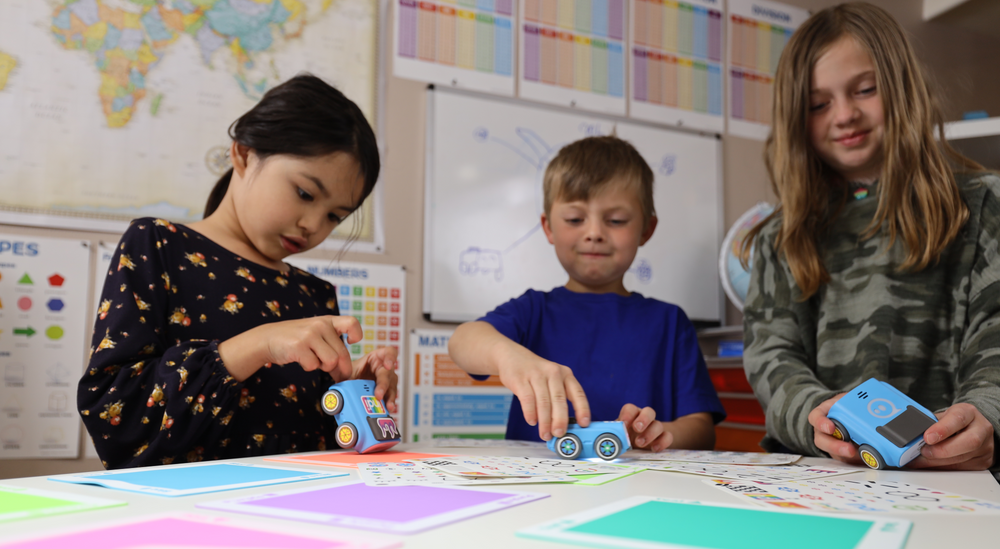
Turn screen-free play into problem solving with indi. Young learners build computational thinking skills through colour, movement, and creative play, progressing to block-based coding when they’re ready.Students place colour tiles, each one a coded instruction, and watch as indi navigates a course or maze. Whether they’re modeling a classroom routine, retelling a story’s plot, or solving a puzzle, kids learn through interactive play.Along the way, students develop essential skills like color identification, sequencing, decomposition, pattern recognition, and cause and effect. When they’re ready, the Sphero Edu Jr™ app lets them reprogram indi with block-based code—customizing movements, sounds, and colors for new challenges and endless fun.
Screenless to Screen Ready
Students start by placing colour tiles to learn computer science basics—no devices required—to explore logic and movement and progress with simplified drag-and-drop programming in the Sphero Edu Jr™ app.
Play based, Cross-Curricular Learning:
Use indi to improve reading fluency, explore math patterns, or model life cycles in science—all while reinforcing directionality, storytelling, and observational skills.
Exploration with Structure
The included Challenge Cards and standards-aligned lessons offer scaffolded guidance while still leaving room for creative, open-ended exploration.
Built for Early Learners:
indi is intuitive, durable, and rechargeable. Built to withstand busy classrooms and excited hands, indi provides flexibility to grow alongside students' skills.
Device Compatibility:
A device is not required to use indi - indi can be programmed without a screen using the included color tiles. Students can level up by changing how indi responds to color tiles using simplified block coding language with the free Sphero Edu Jr™ app. Compatible with most Chrome, Mac, iOS, Android, and Kindle devices - learn more about Sphero Edu Jr™ Device Compatibility.
Indi Classpack has 8 Robots designed for up to 16 pupils.
What's in the box
Product Specifications
| Brand | Sphero |
| Dimensions | INDI robot: 7.62 cm (L) × 6.99 cm (W) × 3.81 cm (H) Color Tiles: 15.24 cm (L) × 15.24 cm (W) |
| Model name / number | SKU:980-0532 |
Curriculum Alignment